15 min read
| Quick answer
A hospital queue management system checks patients in, gives each one a place in a digital queue, calls them to the right room and keeps them updated while they wait. It replaces sign-in sheets and shouted names with kiosks, phone alerts and room displays. Staff see every department’s queue on one screen. |
|
In a hurry?
|
Waiting is the part of a hospital visit patients remember. In England, the NHS met its four-hour A&E target for only 74.9% of attendances in 2025-26. One in ten attendances at major and single-specialty A&E departments lasted 12 hours or more, according to the National Audit Office (September 2026). Outpatient care feels the same pressure. In a May 2025 survey of 2,000 Americans by Talker Research for Klara, 52% named sitting in the waiting room for more than 30 minutes as a turn-off (Scripps News, December 2025).
A hospital queue management system will not add beds or doctors. What it does is organize the patients you already have: who has arrived, who is next, which room they go to and how long the wait really is.
What is a hospital queue management system?
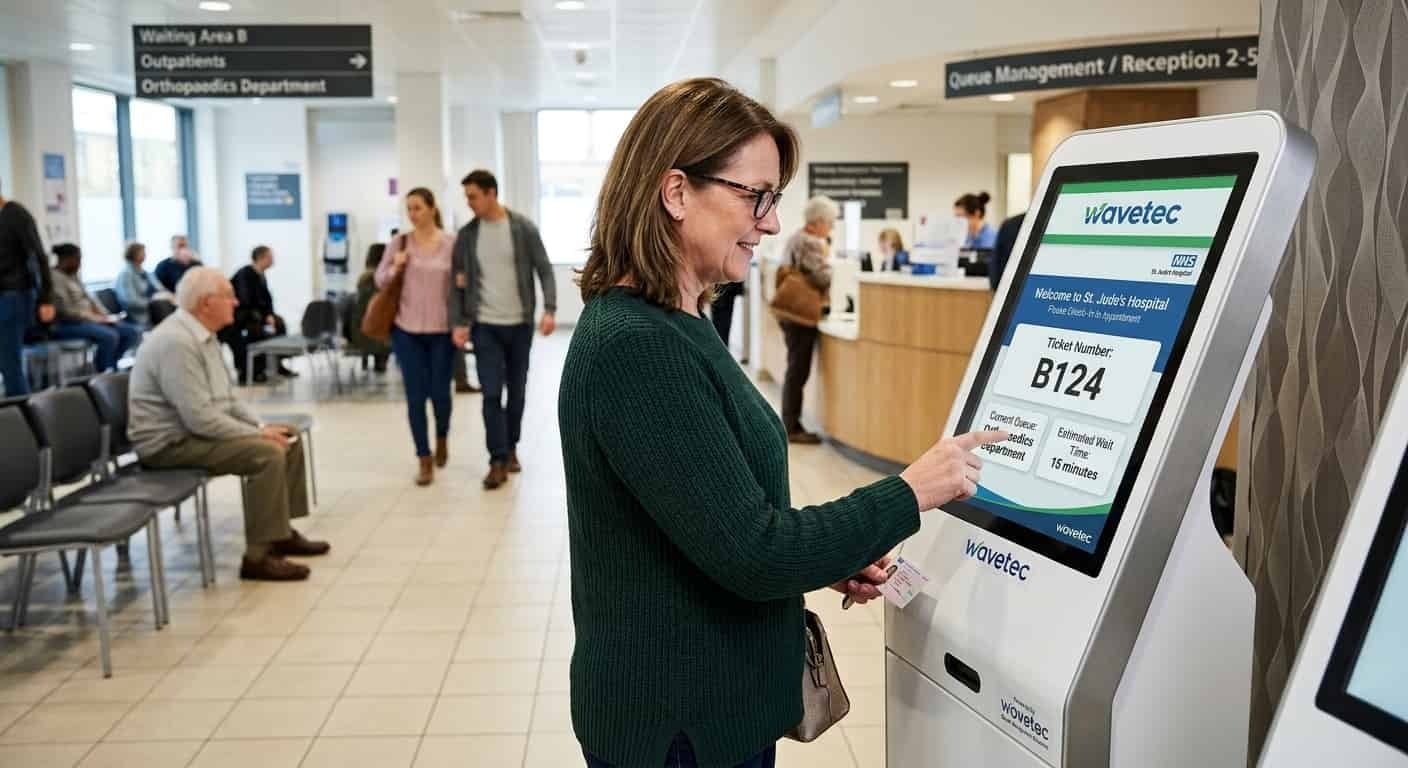
A hospital queue management system, also called a patient queue management system, is a combination of software and hardware that manages how patients move through a healthcare facility. When a patient arrives, they check in at a kiosk, at reception or on their phone and receive a ticket or digital token. The system places them in the right queue for the right service, calls them by screen, speaker, WhatsApp or SMS, and records every step of the visit.
For staff, it works as a live control panel. Managers see how many patients are waiting in each department and how long they have waited. For patients, it removes the guesswork. They know their place in line and where to go next. Implementing a queue management system in healthcare significantly reduces waiting times, enhances operational cost-effectiveness, and improves patient satisfaction.
In Wavetec’s setup, the core is Spectra QMS software, connected to self-service kiosks, counter and room displays, Donatello digital signage, Mobile-Q and WhatsApp Queueing, and Opinion Plus for patient feedback. Hospitals choose the parts they need and add more as they grow.
Signs You Need a Hospital Queue Management System
A hospital needs a queue management system when the same waiting problems return week after week. The most common signs are:
- Reception desks are crowded at opening time, and staff spend their day answering “how much longer?”
- Booked patients and walk-ins arrive at the same time, and nobody can say who should go first.
- Patients miss their call because they stepped outside, or they wait in the wrong corridor.
- Managers hear complaints about waiting but have no data on where the wait actually happens.
- Busy departments overflow while others sit idle, and rosters are planned on averages rather than demand.
If two or more of these sound familiar, the problem is usually not staff effort. It is that nobody can see the whole queue at once.
5 Key Features and Functionalities of a Hospital Queue Management System
A patient queue management system has five key features: appointment scheduling and self-check-in, real-time queue monitoring, patient notifications, staff assignment and analytics.
1. Appointment Scheduling and Self-Check-In Options
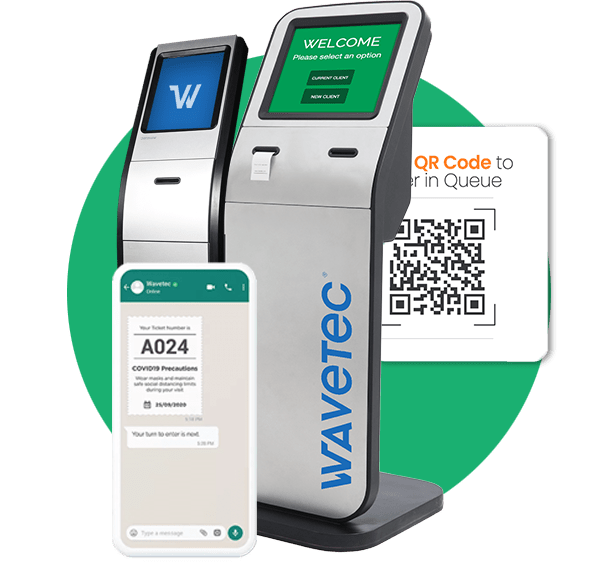
Patients book online, through the appointment flow described in our guide to patient scheduling, or on WhatsApp, then confirm their arrival at a self-service kiosk or on their phone. Walk-in patients scan a QR code or take a ticket at the kiosk, so both groups sit in the same system.
Self-check-in also cuts paperwork. At Nahdi Care Clinics, new patients give their details once at reception, while returning patients simply take a ticket. Reception staff are then free for the people who need a person, such as older visitors and anyone who is unwell.
2. Real-Time Queue Monitoring and Status Updates
Supervisors see every queue in the hospital on one dashboard, with the number of patients waiting and the average wait in each department. When one department backs up, they can move staff or open another counter before the waiting room fills.
Patients see a simpler version of the same picture. Displays and their phone show their position and remaining wait. Fewer of them need to ask at the desk.
Chapidze Heart Center: From 70 to More Than 200 Patients a Day
3. Patient Notifications and Alerts
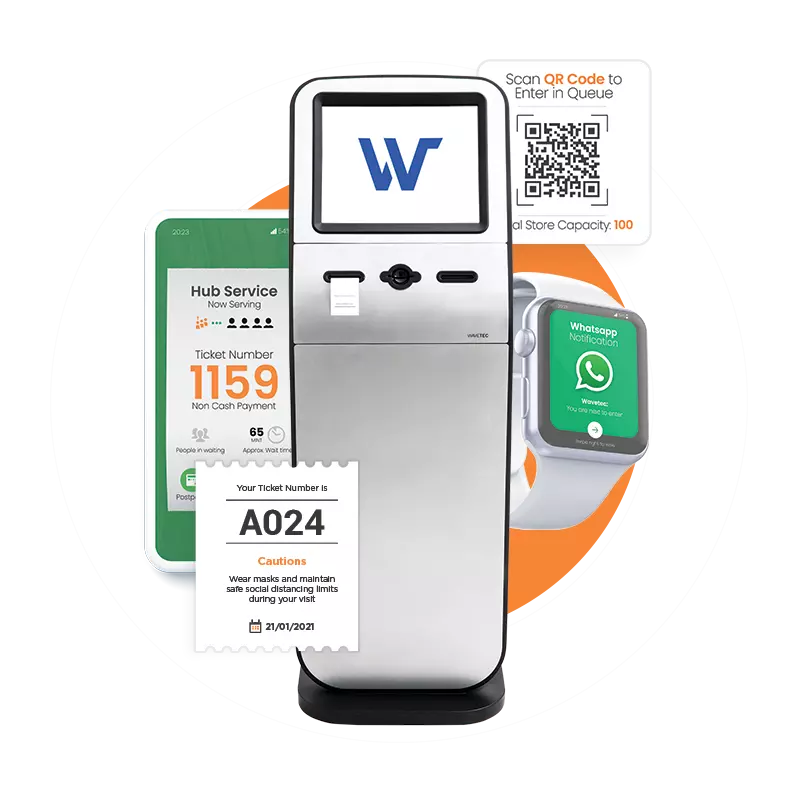
Automated alerts tell patients when their turn is near and which room to go to. With WhatsApp Queueing, they can wait in the cafeteria or their car instead of a crowded corridor, and come back when the message arrives.
Staff spend less time calling names. Patients are also less likely to miss their turn, because the alert reaches the phone they are already holding.
4. Staff Assignment and Resource Allocation
The system routes each ticket to the right person: triage nurse first, then the doctor, then the pharmacy or billing counter. Routing follows the service type, the patient’s priority and which staff are available, so nobody sorts tickets by hand.
Because every transfer is recorded, managers can see where patients wait longest and plan rosters around real demand instead of averages. Priority patients, such as elderly or disabled patients, can be served first without breaking the order for everyone else.
5. Analytics and Reporting Capabilities for Process Optimization
Every ticket creates data: when the patient arrived, how long they waited and how long the service took. Reports show peak hours, slow departments and abandoned tickets, meaning patients who left before being served.
Hospitals use these reports to staff busy mornings and to show management what has improved. Add patient ratings from Opinion Plus and you also see how patients felt about the wait, not only how long it was. For what comes next, see our guide to the role of AI in hospital queue management.
How a Queue Management System Works in Healthcare Industry
A queue management system in a hospital follows each patient through five steps, from arrival to the last department of the visit.
Step-By-Step Process of Patient Flow Within the System
- Patient check-in: the patient checks in at a kiosk, at reception, online or on WhatsApp, and selects the reason for the visit.
- Queue assignment: the system issues a ticket or digital token and places the patient in the right queue for that service.
- Queue monitoring: room displays and phone updates show the patient’s position and expected wait.
- Service delivery: the patient is called to the right room by screen, speaker or message.
- Post-service actions: the ticket moves to the next step, such as pharmacy, lab, billing or a follow-up booking, and the patient can rate the visit.

Hospital Queue Management by Department
Each department queues differently, so a hospital queue management system should be set up department by department rather than as one long line.
| Department | Typical queue problem | What the system does |
| Outpatient clinics (OPD) | Booked and walk-in patients arrive at the same time | Handles both in one system, then sends room calls and wait updates |
| Emergency and triage | Patients wait without knowing what happens next | Calls patients to triage, passes each ticket to the assigned doctor and alerts nurses to new arrivals |
| Pharmacy | Long collection queues after consultations | Gives the pharmacy its own queue and tells the patient when to come to the counter |
| Labs and diagnostics | Patients wait for samples or scans with no clear order | Routes patients by test type and calls them when the room is ready |
| Billing and admissions | Paperwork queues at the end of the visit | Separates inquiries from payments and serves them at different counters |
In the emergency department, the goal is not to replace clinical triage. It is to make the wait visible and orderly. See our guide on how long to wait in the ER. In the pharmacy, a separate collection queue stops finished patients from blocking new ones, as covered in pharmacy queue management. In Italy, Rossi Pharmacy in Lugo and Due Leoni Pharmacy in Rome each split their counters into six service categories, and every ticket carries a letter that tells staff which service the customer needs. Specialty clinics follow the same pattern with their own rules. Pediatric, family medicine and primary care clinics mix booked and walk-in visits, and the system can pass each patient to the assigned doctor, as it does at Nahdi Care Clinics. Dermatology, dental and mental health services often prefer to call patients by ticket number but not by name on a screen.
See This Running in a Hospital Like Yours
Book a demo and we will walk you through a patient visit set up for your own departments.
Clinic queue management system for walk-in and urgent care
A clinic queue management system lets walk-in, urgent care and immediate care patients join the queue before they arrive and follow their remaining wait on their phone. They reach the clinic close to their turn. These clinics cannot schedule their demand, so the queue has to absorb it.
Inside the clinic, staff see booked patients and walk-ins side by side. They can protect appointment slots and serve walk-ins in the gaps. A virtual waiting room keeps the lobby clear and lets patients wait wherever they are comfortable. That matters most in flu season.
For multi-site clinic groups, the same setup runs in every location. Head office can compare waits between branches and move patients or staff to the site with spare capacity.
Large hospitals scale the same way. Instead of a separate system for each building, one central dashboard covers every floor and department, and each department keeps its own routing rules. When you evaluate a system for a large facility, ask the vendor to demo a patient transfer between departments. That is where weak systems break.
Manual Queues vs a Patient Queuing System
A patient queuing system replaces the manual steps of a waiting room, from check-in to feedback, with digital ones.
| Step | Sign-in sheets and a waiting room | Digital patient queue |
| Check-in | Reception desk and paper forms | Kiosk, phone or WhatsApp |
| Knowing the wait | Asking staff | Live position on screen and phone |
| Being called | Calling out names or numbers | Display, speaker or message |
| Moving between departments | Queue again at each desk | Ticket moves to the next step automatically |
| Management view | Guesswork and complaints | Live dashboard and reports |
| Patient feedback | Comment cards | Survey after the visit with Opinion Plus |
5 Benefits of Implementing a Patient Queue Management System
A patient queue management system brings five benefits: a better patient experience, more productive staff, shorter waits, better use of rooms and staff, and decisions based on data.
1. Improved Patient Experience and Satisfaction
Patients who can see their place in line are less likely to feel forgotten. Clear calls and room directions also make a large hospital building easier to find your way around, which is part of patient flow management for hospitals and clinics.
2. Enhanced Operational Efficiency and Staff Productivity
Reception staff stop managing lines by hand and return to work that needs a person. Calls and transfers happen automatically. Nurses learn about new arrivals without walking to the waiting room.
3. Reduced Waiting Times and Congestion
With virtual queuing, patients can wait outside the building until they are needed, so waiting areas stay clear. At Almoosa Specialist Hospital in Saudi Arabia, waits fell from 30 to 45 minutes to 5 minutes after the queuing system was installed.
4. Better Resource Utilization and Allocation
Queue data shows which departments are overloaded at each hour of the day. Managers can then put staff where patients actually are, not where the roster assumed they would be.
5. Data-Driven Decision-Making for Process Improvement
Wait and service times by department turn complaints into numbers you can act on and report upward. For a wider view of bottlenecks between admission and discharge, see our guide to improving patient flow in hospitals.
Results from Wavetec’s Healthcare Queue Management Deployments
Wavetec has deployed more than 30,000 systems in over 80 countries since 1986. Four healthcare projects, from a clinic in Rome to a hospital in Saudi Arabia, show what the system looks like in practice.
Villa Betania Clinic, Italy
Villa Betania is a clinic in Rome and part of the Giomi Healthcare Group. It treats inpatients and outpatients across several reception areas, a blood lab, diagnostics and specialist procedures, and many of its patients are elderly. Before the change, patients walked straight to whichever counter they thought was theirs. The new setup had to cover 13 service categories, each with its own sub-menu, in Italian, English and Spanish. Wavetec installed a 17-inch M-13 kiosk with two ticket printers, plus a QR reader and card reader for the next phase. Donatello runs 13 screens grouped by area, so each screen shows only the calls for its own area, with videos and news between calls. Patients can also take a ticket on WhatsApp in all three languages, and managers follow live statistics on the Spectra dashboard. The rollout is phased, with web appointment integration planned for phase 2. Read the Villa Betania Clinic case study.
Chapidze Heart Center, Georgia
Chapidze Heart Center in Tbilisi is Georgia’s leading heart hospital, and every patient used to queue at one busy reception area. Wavetec, with its partner Innotec, installed a patient flow management system. Patients take a ticket from a touch-screen kiosk and join a virtual queue with a unique number. LED displays and ceiling speakers call them, and a 60-inch screen shows queue status. Eight screens beside treatment rooms show the doctor, the ticket being served and the next patient. Before the system, the hospital could serve up to 70 patients a day. It now serves more than 200. Read the full Chapidze Heart Center case study.
Almoosa Specialist Hospital, Saudi Arabia
Almoosa Specialist Hospital, a 200-bed private hospital in Al Ahsa, needed to end long reception queues and route patients to the right department. Wavetec installed three self-service ticketing kiosks, waiting-area status displays with audio calls and a reporting module for managers. Waits fell from 30 to 45 minutes to 5 minutes, which the case study reports as an 88% decrease in patient wait time. Read the Almoosa Specialist Hospital case study.
Nahdi Care Clinics, Saudi Arabia
Nahdi Care Clinics connected Wavetec’s Spectra API to its Hospital Information System (HIS). Patients check in at reception, then receive their ticket and live position updates on WhatsApp. The triage nurse calls the first ticket and the system passes it to the assigned doctor. The visit closes when the doctor clicks “end serving.” Custom 10-inch counter displays show each doctor’s details. Staff get a browser alert for every new arrival, and patients rate their visit on WhatsApp afterward. Read the Nahdi Care Clinics case study.

Integration with EHR and hospital systems
A healthcare queue management system should fit into the hospital’s existing systems, not run beside them as another screen to check.
Integration With Existing Hospital Systems and Workflows
- EHR and HIS integration: patient and appointment details flow from the hospital record into the queue, so staff do not type them twice. At Nahdi Care Clinics, the Spectra API connects directly to the HIS. Our guide to queue management system integration covers the other methods.
- Staff management systems: the queue can assign staff based on patient demand and who is available.
- Messaging: WhatsApp and SMS alerts are triggered by events in the queue, not sent by hand.
When you compare vendors, ask which integration methods they support, for example HL7, FHIR or a REST API, and who maintains the connection after go-live.
Role Of Digital Signage and Displays in Queue Management
A queue display system shows the ticket being served and the next patient, with directions to each room. It runs on room-door screens and waiting-area displays. For more, see digital signage for hospitals. Between calls, the same screens can show health information and hospital announcements.
Security and Patient Data Protection
A queue system holds patient names and phone numbers, so ask about security early.
How patients are called is part of the same question. In a 2005 general provision, Italy’s data protection authority said patients waiting for a service should not be called by name. In Spain, Hospital El Escorial in Madrid moved its outpatient clinics to screen calls by personal code, so patients are no longer called aloud. Choose a system that lets each department call by ticket number, code or name.
Wavetec is ISO 9001:2015 and ISO 27001 certified and GDPR compliant. Its queue management platform runs in the cloud or on-premise, and both options support role-based access, audit logs, encryption in transit and data-retention controls.
How to roll out a hospital queue management system
A hospital queue management system works best when it is rolled out in stages, one department at a time, rather than switched on everywhere at once.
- Map each patient route: list the departments, the steps a patient takes and where they wait today.
- Start with one department: outpatients or the pharmacy are usually the quickest wins, because the queues are long and predictable.
- Connect the hospital systems: link the HIS or EHR so appointments and patient details reach the queue automatically. Our guide to hospital automation covers the systems beyond the queue.
- Train staff on the new routine: each role has a small set of actions, such as call, transfer and end serving.
- Measure and extend: compare waits and patient ratings before and after, then roll the setup out to the next department.
Staged rollout keeps the risk small and produces before-and-after numbers for the next phase.
What does a hospital queue management system cost?
A hospital queue management system has no single price, because no two hospitals have the same layout or patient volume. The main cost drivers are:
- The number of sites, departments and service points
- Hardware: kiosks, room and counter displays, signage screens and speakers
- Software modules: virtual queuing, WhatsApp, appointments, feedback and analytics
- Integration with the HIS or EHR
- Cloud or on-premise hosting, training and ongoing support
A single clinic with one kiosk and a few displays sits at a very different level from a multi-site hospital group. The fastest way to an accurate figure is a scoped demo in which the vendor maps your departments before quoting.
How to choose a hospital queue management vendor
Choose a hospital queue management vendor on seven points: healthcare references, integration, patient channels, workflow rules, reporting, hardware support and data protection. Use this checklist when you compare suppliers:
- Healthcare references: ask for hospitals or clinics of your size, ideally in your country.
- Integration: confirm how the system connects to your HIS or EHR and who maintains the link.
- Patient channels: kiosk, WhatsApp, SMS, app and web check-in, in the languages your patients use.
- Workflow rules: triage-to-doctor transfers, priority patients and multi-step visits.
- Reporting: wait and service times by department, exportable for management reviews.
- Hardware and support: whether the vendor supplies and services kiosks and displays locally.
- Data protection: where patient data is stored, who can access it and which certifications the vendor holds, such as ISO 27001. In the EU, patient data in the queue also falls under the General Data Protection Regulation.
Wavetec builds and supports both the software and the hardware, so one team is responsible for the whole system. Explore Wavetec’s queue management system to see the full range.
Hospital Queue Management System FAQs
See How It Would Work in Your Hospital
A hospital queue management system turns waiting from a crowd into a managed, measured process, from check-in to the last department of the visit. The quickest way to see what it would change for your patients is a short demo mapped to your own departments.
BOOK A FREE DEMO